
Rich text toolbar and layout
Pin a formatting toolbar above a rich-text editor, hide its gutter, and choose which block controls appear.
By default, formatting controls appear in a small toolbar over selected text, and a gutter along the
editor’s edge holds a handle for moving each block. Use Config.Admin to change how the editor
looks in the admin. These settings never change what a document can store or how it is validated.
Pin a toolbar above the editor
Set FixedToolbar to keep the formatting controls visible above the text:
richtext.Field("content", richtext.Config{
  Admin: richtext.Admin{
    FixedToolbar: true,
  },
}).Required()
The toolbar shows the current block style and marks for the caret or selection. It stays in view while you scroll a long document, and the toolbar over selected text still appears as well. A button pressed before the editor has a caret places one at the end of the content. Adding a link needs selected text; removing one works from the caret.
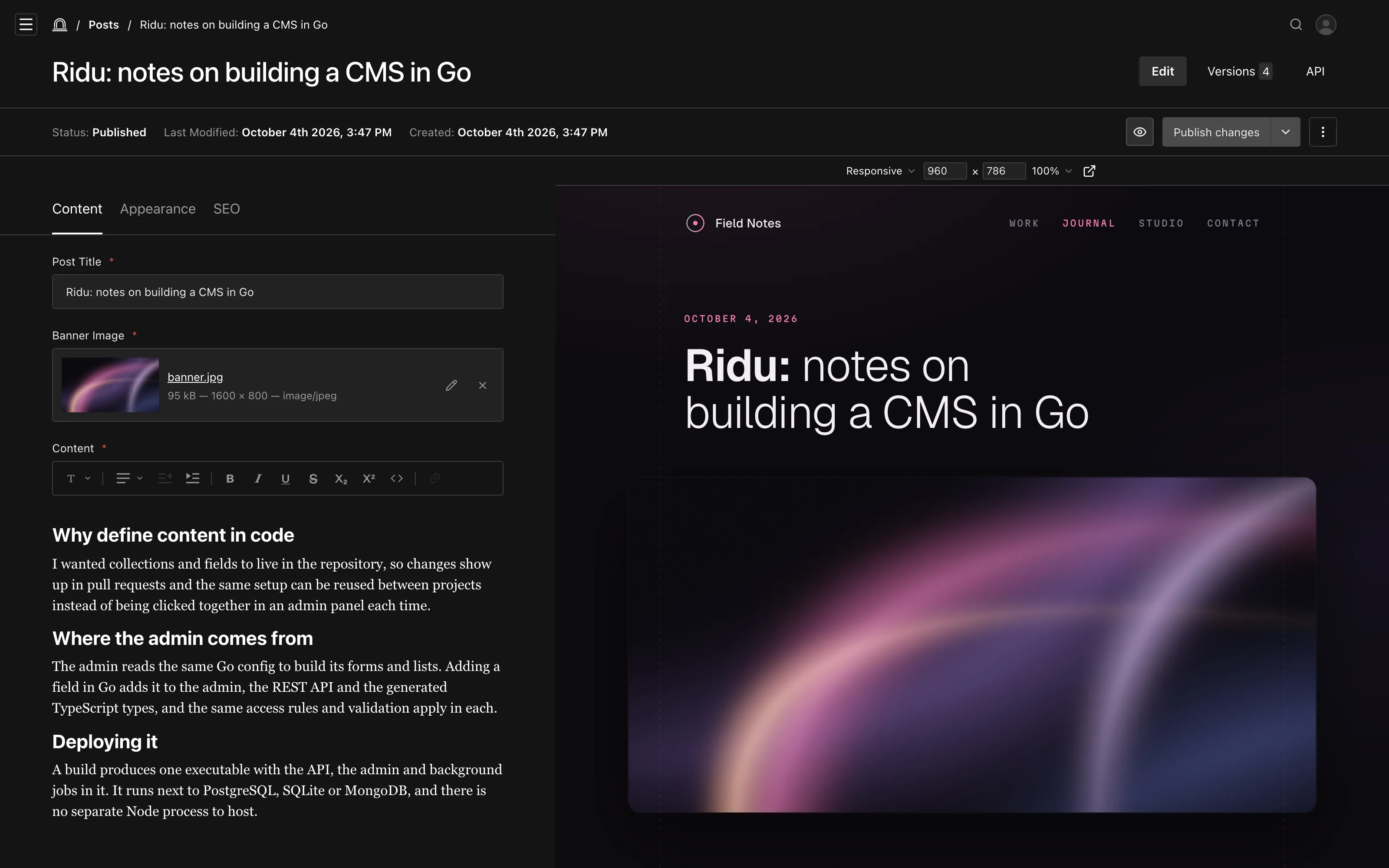
A fixed toolbar with the gutter hidden.
Hide the gutter
Set HideGutter so the text lines up with the other fields in the form:
richtext.Field("content", richtext.Config{
  Admin: richtext.Admin{
    FixedToolbar: true,
    HideGutter:   true,
  },
})
The block handle moves just outside the text, so it still appears when you hover a block.
Hide block controls
Each block shows a handle for dragging it and a + button for inserting another block, and a control below the last block adds an empty paragraph. Hide any of them:
richtext.Field("summary", richtext.Config{
  Admin: richtext.Admin{
    HideDraggableBlockElement: true,
    HideAddBlockButton:        true,
    HideInsertParagraphAtEnd:  true,
  },
})
Editors keep keyboard alternatives: Alt+Shift+↑ and Alt+Shift+↓ move the current block, /
opens the insert menu, and Enter at the end of the last block adds a paragraph.
All options
richtext.Admin field |
Default | Effect | Payload equivalent |
|---|---|---|---|
FixedToolbar |
false |
Pins formatting controls above the editor. | FixedToolbarFeature() |
HideGutter |
false |
Removes the line and indent along the editor’s edge. | admin.hideGutter |
HideDraggableBlockElement |
false |
Hides the handle for dragging a block. | admin.hideDraggableBlockElement |
HideAddBlockButton |
false |
Hides the + button beside the hovered block. | admin.hideAddBlockButton |
HideInsertParagraphAtEnd |
false |
Hides the control that adds a paragraph after the last block. | admin.hideInsertParagraphAtEnd |
The toolbar over selected text is always available. Payload’s admin.placeholder,
applyToFocusedEditor, and custom toolbar groups have no equivalent yet.
See richtext.Admin in the API reference.