
Create and edit documents
Understand the schema-driven editor, validation, relationships, dirty state, revisions, and save outcomes.
Ridu’s document editor turns your field definitions into inputs for text, numbers, relationships, uploads, nested content, and plugin fields. Your configuration also controls translations, layout, permissions, and validation messages.
Editing configuration
| Configuration | What authors see | Server behavior |
|---|---|---|
.Required(), range/length/row methods |
Required marker and input constraints | Enforced on every save path. |
.Default(...) / .DefaultFrom(...) |
Initial server value after eligible creation | Applies only to omitted values in new scopes. |
.Validate(...) |
Field-addressed message after submit | Always runs during authoritative save validation. |
.LiveValidate(...) |
Advisory message while editing | Runs only when requested; no defaults or save hooks. |
field.Admin metadata |
Description, width, condition, read-only state, or custom editor | Presentation does not grant access or bypass validation. |
field.Access |
Hidden/read-only controls where possible | Rechecked for every API operation and final response. |
Versions and _revision |
Conflict recovery and history | Rejects a stale revision instead of overwriting a newer save. |
Create the first document
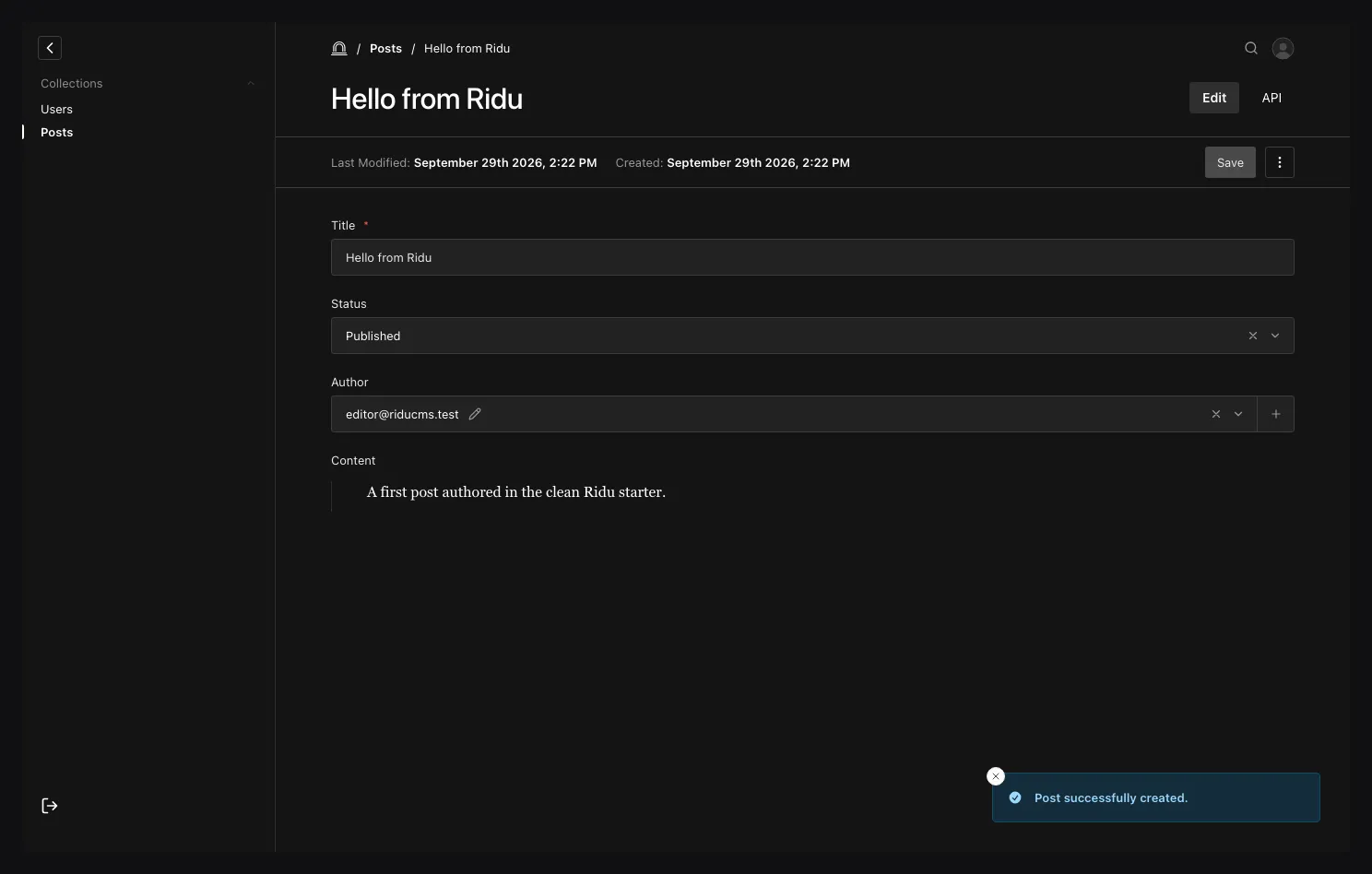
Open a collection and choose Create new. Required markers, descriptions, placeholders, conditions, choice labels, row bounds, and field access come from resolved config. Saving applies access, defaults, validation, hooks, persistence, and response redaction.
Server issues return to exact paths, including nested row indexes. Fix those inputs and submit again; a rejected operation does not partially persist other fields.
Get validation feedback while editing
Fields with .LiveValidate(...) can show server validation messages before you save. A live
check does not save your changes or run defaults and save hooks. Saving still runs the full
validation rules, so a form without live messages may still need corrections when submitted.
The admin handles requesting checks and discarding outdated feedback. Use the Live server validation guide to add a rule or connect a custom field editor.
Edit safely
The form tracks dirty values and warns before an accidental navigation. Relationships/uploads open an access-aware browser with search, pagination, filters, selection, and permitted inline work. Array/block rows preserve stable editing identity during reorder. A resolved schema change is reconciled without silently submitting removed or incompatible values.
Version-aware updates carry the visible _revision. A competing write returns conflict rather
than overwriting the newer document. Refresh/review the latest state and reapply the intended change;
do not blindly replay stale input.
Available actions are capability-driven: save, save draft, publish, unpublish, duplicate, copy-locale, delete/trash, preview, and lock takeover appear only where resource config and the proposed document allow them. The server always rechecks the action when invoked.
Inspect the document API
Open the document’s API tab to see its current JSON response. You can refresh it, choose a content locale and relationship depth, and copy the request URL. The API reference button on that tab opens collection-specific list, read, create, update, and delete examples in TypeScript, cURL, and Go. When editing an existing document, the read example includes its ID. These examples describe requests; opening the drawer does not run a mutation.
Presentation is not authorization
ReadOnly, Hidden, conditions, tabs, and plugin controls affect the editor. They cannot protect a
field from raw REST/SDK input. Attach field.Access for read/create/update security and hooks/validation
for business invariants.
If saving fails
- Follow the field-addressed validation issue instead of editing generated contracts.
deniedmeans collection or field access rejected the current actor/context.conflictmeans the revision changed; reload and reconcile.- A reference can disappear from its picker because target read access or option filters changed.
- A failed post-commit side effect must be made observable/retryable; it cannot roll back a commit that already succeeded.
Continue with Drafts, versions, and scheduling, Document locks, Uploads, and Live preview.